> ## Documentation Index
> Fetch the complete documentation index at: https://makeswift-sasha-eng-8460-create-a-guide-for-troubleshooting.mintlify.site/llms.txt
> Use this file to discover all available pages before exploring further.
# List
> Adds a List panel in the Makeswift builder to visually edit an `array` of items.
## Params
The control that determines the type and values in the array passed to your
component. Can be any of the Makeswift controls.
Text for the panel label that appears in the Makeswift builder.
A function to get the label for each list item shown in the panel. If you
don’t provide a value, the control passes an `undefined` value to your
component.
## Prop type
The Link control passes an `array` of values based on the `type` control.
## Examples
### An array of strings
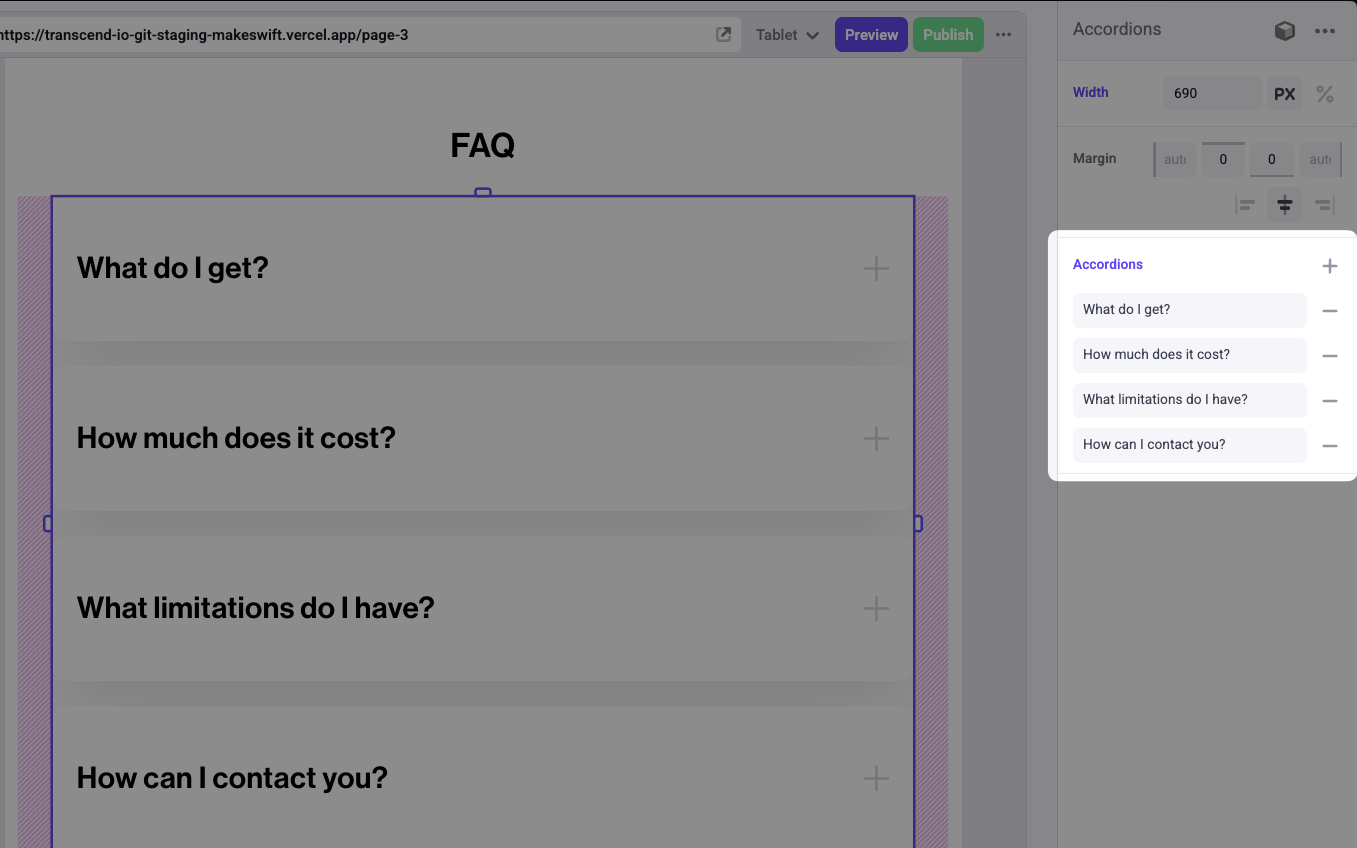
This example adds an List control to the `accordionTitles` prop of an Accordions component.
```tsx Accordions.makeswift.ts
import { List, TextInput } from "@makeswift/runtime/controls"
import { runtime } from "@/makeswift/runtime"
import { Accordions } from "./Accordions"
runtime.registerComponent(Accordions, {
type: "accordions",
label: "Accordions",
props: {
accordionTitles: List({
label: "Accordions",
type: TextInput({ label: "Title", defaultValue: "Accordion Title" }),
getItemLabel(item) {
return item ?? "Accordion Title"
},
}),
},
})
```
```tsx Accordions.tsx
import { Accordion } from "@/components/Accordion"
interface Props {
accordionTitles: string[]
}
export function Accordions({ accordionTitles }) {
return (
{accordionTitles.map((title, index) => (
This is the body!
))}
)
}
```
### An array of objects
This example uses the [Shape](/developer/reference/controls/shape) control to define the structure of the objects in the `accordions` array.
```tsx Accordions.makeswift.ts
import { runtime } from "@/lib/makeswift/runtime"
import { List, Shape, TextInput, TextArea } from "@makeswift/runtime/controls"
import { Accordions } from "./Accordions"
runtime.registerComponent(Accordions, {
type: "accordions",
label: "Accordions",
props: {
accordions: List({
label: "Accordions",
type: Shape({
type: {
title: TextInput({ label: "Title", defaultValue: "Accordion Title" }),
body: TextArea({ label: "Body", defaultValue: "This is the body!" }),
},
}),
getItemLabel(item) {
return item ?? "Accordion Title"
},
}),
},
})
```
```tsx Accordions.tsx
import { Accordion } from "@/components/Accordion"
interface Props {
accordions: {
title: string
body: string
}[]
}
export function Accordions({ accordionTitles }) {
return (
)
}
```
`.makeswift.ts` is a naming convention for organizing Makeswift registration
code. [Learn
more](/developer/reference/runtime/register-component#organizing-registration-code).
 ## Params